

Migration:sfe search and replace. Change domain without breaking your widgets

WordPress search and replace

A serialization-aware search and replace: it rewrites the old site address everywhere in the database without corrupting serialized options — which a hand-written SQL query almost always destroys.
The preview isn't optional: without one, execution refuses to run.

How WordPress search and replace works

Change WordPress site URL: why a hand-written UPDATE breaks the site

WordPress stores many settings in serialized form, and every serialized string carries its own length. Replacing oldsite.com with newsite.example through a direct query changes the text but not the number — from that moment the value can no longer be read, and widgets, theme settings and plugin configurations come back empty.

This tool decodes the value, replaces inside the structure — including nested arrays and array keys — and re-encodes it with the correct lengths.

What it touches, and what it doesn't

  • It searches every table carrying the site prefix, limited to text columns and to tables with a single primary key.
  • It always skips the guid column on posts: that's a historical identifier, not an address, and changing it makes feed readers re-announce every old post as new.
  • If a serialized value can't be decoded, it's left untouched rather than gambled with.
  • If it finds an object of a class that no longer exists — typical of uninstalled plugins — it stops on that value and doesn't rewrite it.
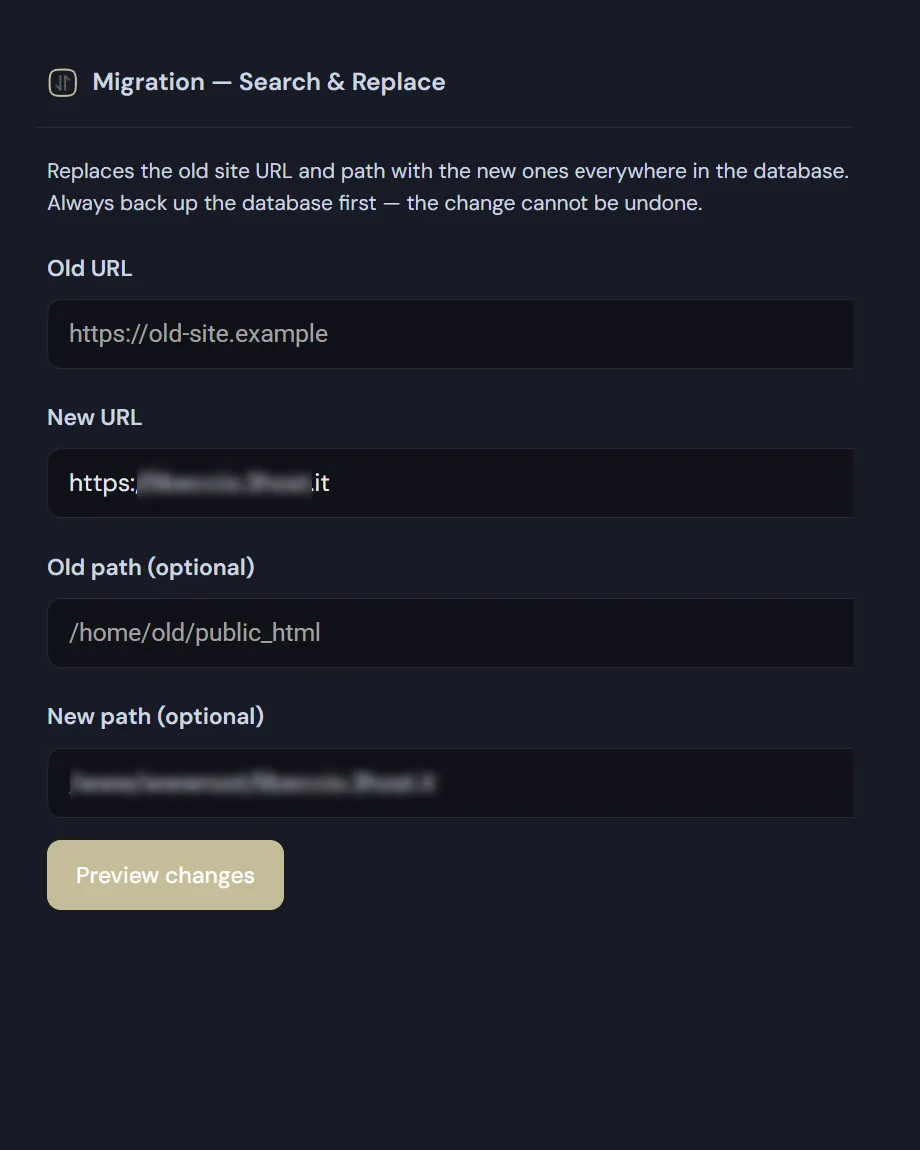
  • It takes two pairs: old and new address, and optionally old and new server path for people moving the folder too.

The preview is mandatory

  • First it shows how many rows match, table by table, with the total.
  • If it finds nothing it says so, and doesn't offer an execute button that would serve no purpose.
  • Execution is tied to the preview you just saw: change the values in the fields and the preview has to be run again. You cannot execute a replacement other than the one you checked.
  • The final confirmation is a separate screen, reminding you that this rewrites data across the whole database and cannot be undone.
  • When it finishes you get a count of tables, rows and cells changed.

Take a backup first. There is no undo — the replacement rewrites data in place. The backup module is part of the same suite and takes a minute.
Read the documentation

WordPress search and replace screen
WordPress search and replace: the old and new address fields.

Frequently asked

WordPress search and replace: what to know before running it

Five answers on serialization, the mandatory preview, skipped columns and what to do if it goes wrong.

Why can’t I just run an UPDATE to change WordPress site URL?

Because WordPress stores many settings in serialized form, and every serialized string carries its own declared length. A direct query replaces the text but leaves that number untouched: from then on the value can no longer be decoded, and widgets, theme settings and plugin configurations come back empty.

A serialization-aware WordPress search and replace decodes the value, replaces inside the structure — including nested arrays and array keys — and re-encodes it with correct lengths. It is the only safe way to change WordPress site URL across an existing database.

Can I skip the preview?

No, and that’s deliberate. First you see how many rows match, table by table, with the total. Only then does the execute button appear, and it stays tied to the preview you just saw: change the values in the fields and the preview has to be run again.

So you cannot execute a replacement other than the one you checked. The final confirmation sits on a separate screen, reminding you that this rewrites data across the whole database and cannot be undone.

Which columns get touched, and which don’t?

Every table carrying the site prefix is searched, limited to text columns and to tables with a single primary key. The guid column on posts is always skipped: it is a historical identifier rather than an address, and changing it makes feed readers re-announce every old post as new.

If a serialized value can’t be decoded it is left untouched rather than gambled with. And if it contains an object of a class that no longer exists — typical of uninstalled plugins — the tool stops on that value and doesn’t rewrite it.

I need to change WordPress site URL and the server path too. Possible?

Yes. The tool takes two pairs: old and new address, and optionally old and new filesystem path. You need both when a migration changes the domain and the directory at once, which is the usual case when moving from a local development environment to hosting.

When it finishes you get a count of tables, rows and cells changed, so you can check the run touched what you expected.

Is there an undo if I get it wrong?

No, and no tool of this kind can genuinely offer one: the replacement rewrites data in place, so the previous state no longer exists. That is exactly why the preview is mandatory and the confirmation sits on its own screen.

Take a backup before you run it: the module is part of the same suite and takes a minute. If something goes wrong, restoring that archive is the only undo there is.

Shopping Basket