

WordPress admin suite

All-in-one WordPress plugin: what is Deskmode Pro WordPress admin suite?

Deskmode Pro Suite is the all-in-one WordPress plugin for people who actually administer WordPress. It gives the dashboard a modern look and, in the same place, hands you login security, network tools, site health, database controls, logs and backups — the things you would normally install six or seven separate plugins for.

The problem, and the case for a single WordPress admin suite

A plugin for everything, and nothing that joins them up

Anyone who administers WordPress sites knows the pattern: every need gets its own plugin. One for login security, one for backups, one for the activity log, one for maintenance mode, one for the 404 page, one to make the dashboard look presentable. Each with its own interface, its own subscription, its own promotional banners and its own updates to keep up with.

How it usually goes without a WordPress admin suite

  • Six or seven plugins, each with a separate licence and renewal date
  • Six different interfaces to learn, and to explain to your clients
  • Data that never connects: login blocks live in one place, logs in another
  • More active plugins means more weight, more updates, more attack surface
  • To find out where an attack came from you leave WordPress and use an outside service

With an all-in-one WordPress plugin: what Deskmode Pro Suite does differently

  • One plugin, one licence, one update
  • A single consistent interface, using the same language on every screen
  • The data is joined up: click an IP in the log and you see its country and network owner
  • Everything lives in the admin area and never touches your public site
  • One annual cost instead of six renewals scattered across the calendar

What an all-in-one WordPress plugin replaces

Do the maths

These are the plugin categories that typically coexist on a well-run site. Deskmode Pro Suite, a single WordPress admin suite, covers all of them under one licence.

Plugin categories normally kept separate, all included in Deskmode Pro Suite, with the typical annual cost of each
Normally you need a plugin for… In Deskmode Pro Typical annual cost*
Admin theme and dashboard brandingIncluded€25
Dark mode for the dashboardIncluded€0–39
Custom login pageIncluded€0–99
Login security and 2FAIncluded€79
Activity logIncluded€139
Outgoing email logIncluded€0–49
Backup and restoreIncluded€49
Database cleanup and maintenanceIncluded€0–59
Migration with search and replaceIncluded€0–69
Maintenance modeIncluded€0–99
404 page managementIncluded€0–99
Network tools (IP, country, provider, DNS)IncludedRarely sold at all
Total if bought separately One licence, with features you won’t find elsewhere From €300

And the saving isn’t only financial: one update to follow, one interface to learn, one person to talk to when something breaks — plus tools no other plugin puts in the same place.
* Average prices recorded in 2026
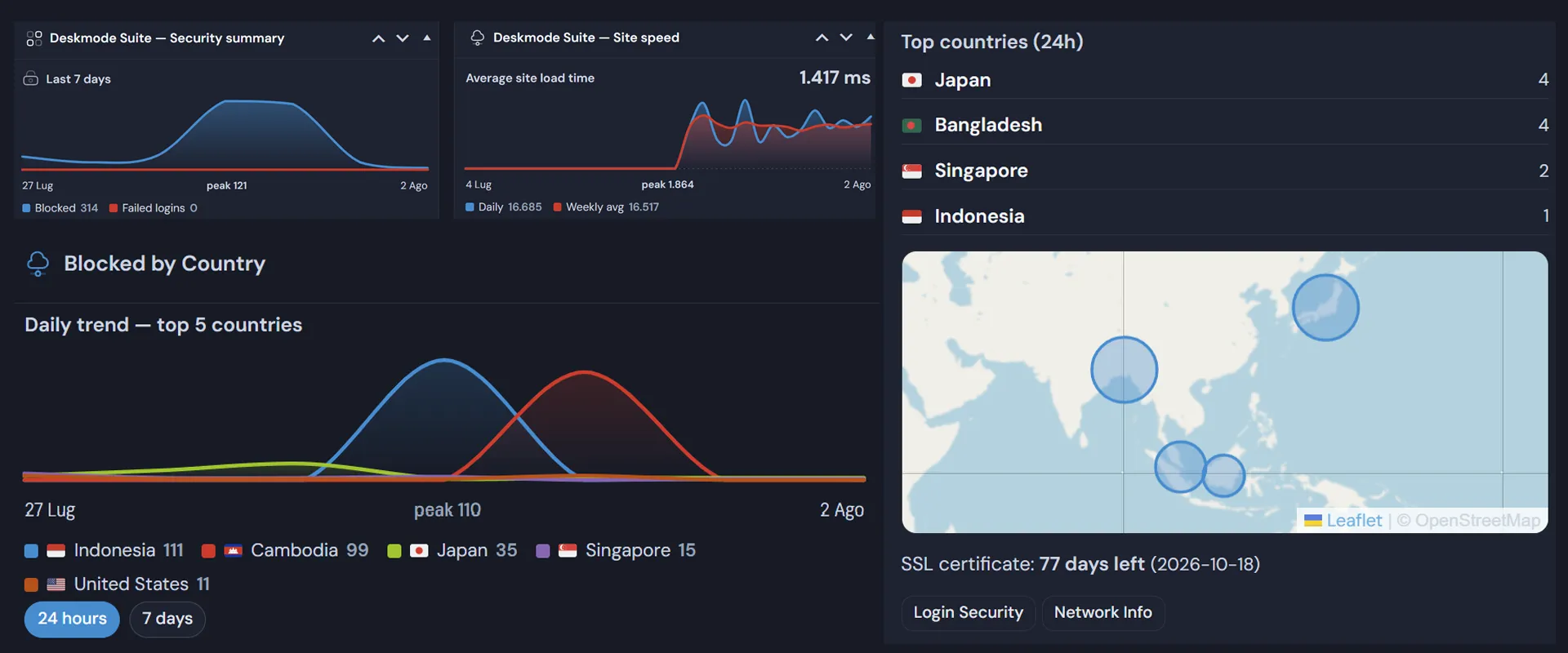
What is Deskmode Pro Suite: the WordPress admin suite that replaces six separate plugins

What's different about this WordPress admin suite

Network tools, brought inside WordPress

Until now, finding out who was behind an IP address hammering your login meant copying it, opening an external service, pasting it and reading the result. Then repeating for the next one. We do not know of another admin plugin that brings these tools right next to the security logs.

Country and provider, instantly

Click an IP address straight in the log and see which country it comes from and which operator it belongs to. Without leaving the dashboard.

Whois, DNS, AS lookup

The tools you would otherwise run from a terminal, available in one screen: DNS queries, registration data and autonomous system number.

DNSBL check

See whether an address appears on public blocklists — a quick way to tell a real visitor from a node that has already been reported.

The advantage is not having one more tool, but having it in the same place as the data: you decide whether to block a country by looking at your own traffic, not at a guess.

Everything in one place

Four jobs, one dashboard

The features are not a random list: they cover the four things an administrator actually does every week.

Make it look right

  • Admin theme with twelve accent colours
  • A true dark mode, editor included
  • Custom login page and logo
  • A tidy menu, reordered and restricted by role

Protect it

  • Geofencing, blocklist, allowed hours, rate limit
  • Two-factor authentication
  • reCAPTCHA and Cloudflare Turnstile
  • Activity log and refused login attempts
  • Two-factor authentication, standard TOTP

Measure it

  • A health score recorded every day
  • Speed and security charts
  • Resource usage per individual plugin
  • Network tools and outbound connection monitor

Maintain it

  • Database checks and cleanup
  • Serialization-aware search & replace migration
  • Backups to S3 or FTP, on a schedule
  • Maintenance mode, 404 page and mail log

Two-factor authentication is standard TOTP (RFC 6238), computed on your own server: it works with Google Authenticator, Authy, 1Password or any compatible app, and no code ever leaves your site.

What Deskmode Pro Suite is, and why this all-in-one WordPress plugin exists

Built by an admin, for other admins

Deskmode Suite did not start from market research. It started from a folder of notes: the tools we rebuilt on every project. The dashboard to make presentable for the client, the login to lock down, the database to clean before handover, the backup to move off the server, the IP to check quickly when the login attempts start piling up.

At some point we stopped rewriting them and put them together in a single plugin.

Every feature in here exists because one of us actually needed it, on a Wednesday afternoon, with a client waiting.

You can see it in the choices. A mandatory preview before search & replace, because we have seen a migration go wrong. Core options marked as protected and impossible to delete, because we know how easy it is to click the wrong row. Anti-lockout protection for your own IP, because locking yourself out of a client’s site happens once, and you never forget it.

And you can see it in what is missing: the resource table shows no CPU time or memory per plugin, because those cannot be measured reliably from inside WordPress. We would rather show you four real numbers than six of which three are invented.

See the plans All features

Shopping Basket