

Email notifications: Has someone just signed in to your site?

WordPress Login Alert Email

Two notifications worth receiving: a successful login from an address never seen before, and a login stopped by your own rules.

How it works - Two kinds of notification

WordPress Login Alert Email

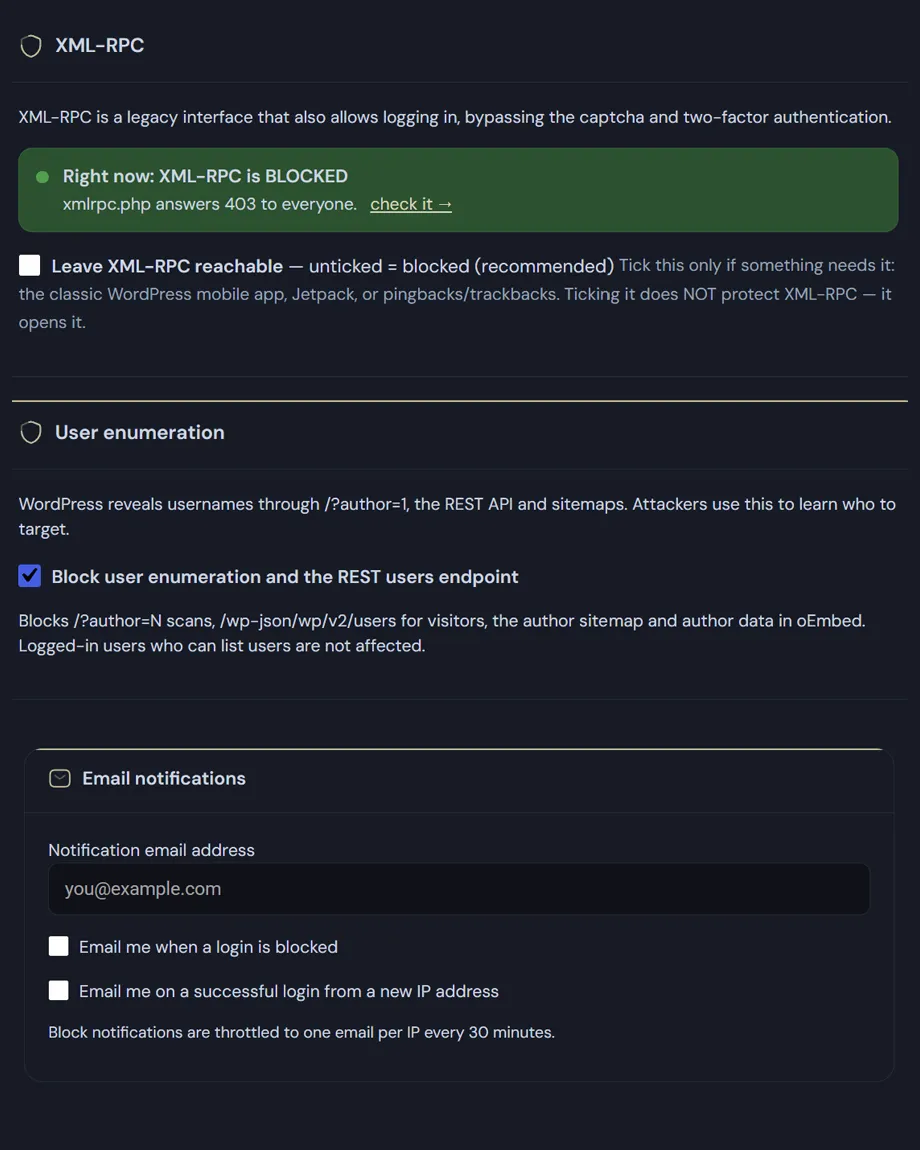
You set the address the alerts should go to. Leave it empty and nothing is sent, whatever else is switched on.

Login from a new IP address

Sent when a login succeeds from an address the site has never seen. Known addresses are remembered — the last five hundred — so a normal working day generates nothing. Private and local networks are ignored.

The email carries the username, the IP, the country, the time and the site, and ends with the only advice that matters if it wasn't you: change the password now.

This is the alert to switch on first. If you are the only one with access, an unexpected email tells you everything.
If your connection has no static IP, this option may generate alerts for your own sessions.

Blocked login

Sent when an attempt is refused, with the reason: geographic restriction, manual blocklist, too many failed attempts, or outside the allowed hours. Limited to one email every thirty minutes per address, so an attack cannot fill your inbox.

One exception to the limit: if the password was correct and only your access rules stopped the attempt, the email goes out immediately, every time, with a different subject line. Someone knows valid credentials for the site: that is not something to find out half an hour later.

Blocked-login alerts can be useful in the first moments of an attack, but they generate a lot of tiresome notifications — use this option with judgement. Alerts about new IP addresses signing in to your site are extremely useful. Leave those on at all times.
Read the documentation

WordPress Login Alert Email settings.
WordPress Login Alert Email settings screen.

Frequently asked

WordPress login alert email: the usual questions

Which WordPress login alert email will I actually get?

Two, each switched on separately. The first goes out when a login attempt is blocked by your rules, and gives the IP address, the country, the reason for the block — geographic restriction, manual blocklist, too many failed attempts, outside allowed hours — and the exact time. The second is the new IP login alert: it arrives when a sign-in succeeds from an address never seen before, with the username, country and time. The plugin remembers the last five hundred known addresses, so it doesn’t write to you every time you log in from the same place.

Won’t failed login notifications WordPress flood my inbox?

No, because they are limited to one every thirty minutes per IP address: an attack trying a thousand passwords doesn’t produce a thousand emails. There is one deliberate exception. If the password used was correct and only your rules stopped the attempt, the limit doesn’t apply and the email goes out immediately, under a different subject line. A rejected attempt is noise; a rejected attempt with working credentials means somebody has them, and you need to know right then.

I’m not receiving anything. What went wrong?

First check that a destination address is set: without one, the notification isn’t even generated. Then remember that sending goes through WordPress’s wp_mail() function, so delivery depends on your server’s mail configuration. If your site sends without aligned SPF and DKIM records, messages land in spam or get rejected outright. The plugin’s mail log tells you whether the message was accepted by the mail server or failed, and with which error.

Can alerts go somewhere other than the admin address?

Yes, the destination is a separate field. That’s the right choice when you run sites on someone else’s behalf: the alerts reach you, while your client keeps receiving only the emails that genuinely concern them. Security notifications are a working tool for whoever maintains the site, not a source of alarm for whoever simply uses it.

Shopping Basket