Deskmode Pro Suite – Customize & Secure Your WordPress Admin
A WordPress admin plugin to Customize and secure your WordPress dashboard
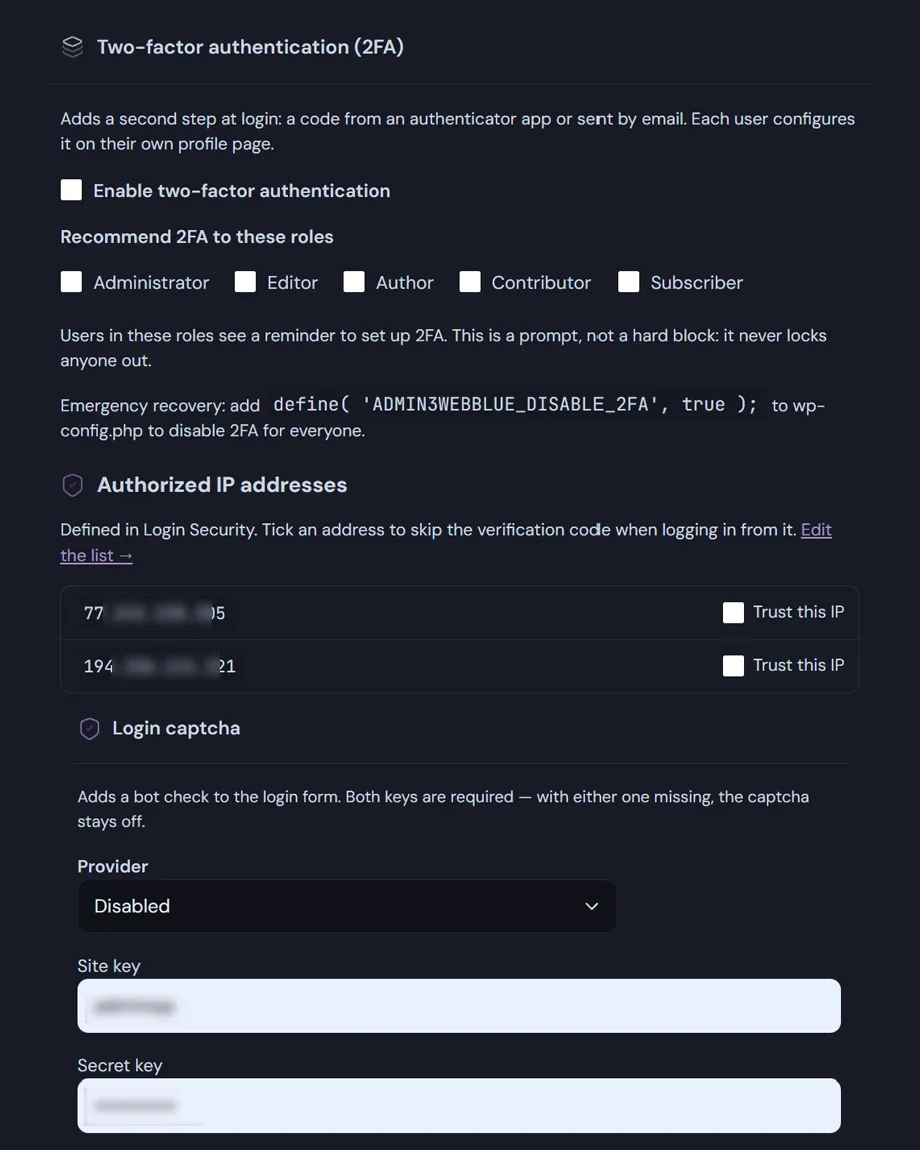
How two factor authentication for WordPress works
Two methods, chosen by each user
Once the password is accepted the session is held: the authentication cookie is cleared and a code is requested before anything else happens. Each user turns the second factor on from their own profile and picks the method.
Authenticator app
- Standard TOTP (RFC 6238), six digits, thirty-second period, SHA-1.
- Works with Google Authenticator, Authy, 1Password and any compatible app.
- Setup by QR code or by typing the secret; verification tolerates one interval either side for clock drift.
- Codes are computed on your server. Nothing is sent to a third party.
Code by email
- Six-digit code sent to the account address, valid for ten minutes and usable once.
- Stored hashed, never in clear text.
Recovery codes
Ten single-use codes are generated on activation and stored hashed. Each one works once, and your profile shows how many are left. They are how you get back in when the phone is gone.
Trusted addresses
Listed IP addresses skip the second factor. The list is checked against the allowlist in login security: an address removed there stops being trusted here too, so revocation happens in one place only.
Roles and rollout
You choose which roles should use the second factor. Users in those roles who have not set it up yet see a notice in the dashboard with a link to the setup screen. Activation stays with the user, which avoids locking a client out of their own site overnight.
Troubleshooting two factor authentication for WordPress: define('ADMIN3WEBBLUE_DISABLE_2FA', true); in wp-config.php disables the module from outside the dashboard.
Captcha on the login form
Configured on the same screen: Google reCAPTCHA v2 or v3, or Cloudflare Turnstile, with an adjustable score threshold for v3. Verification happens before the password is checked, so automated traffic never reaches the credentials.
Set up your captcha keys:
Google reCAPTCHA admin console
Cloudflare Turnstile dashboard (Requires a free Cloudflare account. The hostname must be added to the widget configuration; your DNS does not need to be on Cloudflare.)