WordPress analytics and wordpress charts
Real-Time WordPress Analytics & Native SVG Dashboard Charts
Stop bloating your admin with third-party JavaScript libraries. Deskmode Pro Suite delivers lightweight, server-generated SVG metrics, site health indexes, and dedicated security charts directly to your WordPress dashboard.
- Native SVG Rendering: Zero-JS chart generation for blazing-fast admin load times.
- Dedicated Database Tables: Isolates log data away from `wp_options` to prevent site slowdowns.
- Client-Ready Dashboard Insights: Executive site health, speed trends, and security summaries.
14-Day Money-Back Guarantee: Try Deskmode Pro Suite risk-free. No questions asked.
Lightweight Engineering
Built for Speed, Compliance, and Deep Insight
Traditional WordPress analytics and WordPress charts plugins inject heavy JS charts and saturate your `wp_options` table. Deskmode keeps your database lightweight and your admin instant.
Server-Side SVG Charts
Rendered natively on the server. Zero external JavaScript chart libraries, zero bloat, and full compliance with strict Content Security Policies (CSP).
Isolated DB Storage
Activity logs, response times, and health scores go into dedicated indexed database tables—never into autoloaded options that slow every single request down.
Client-Ready Branding
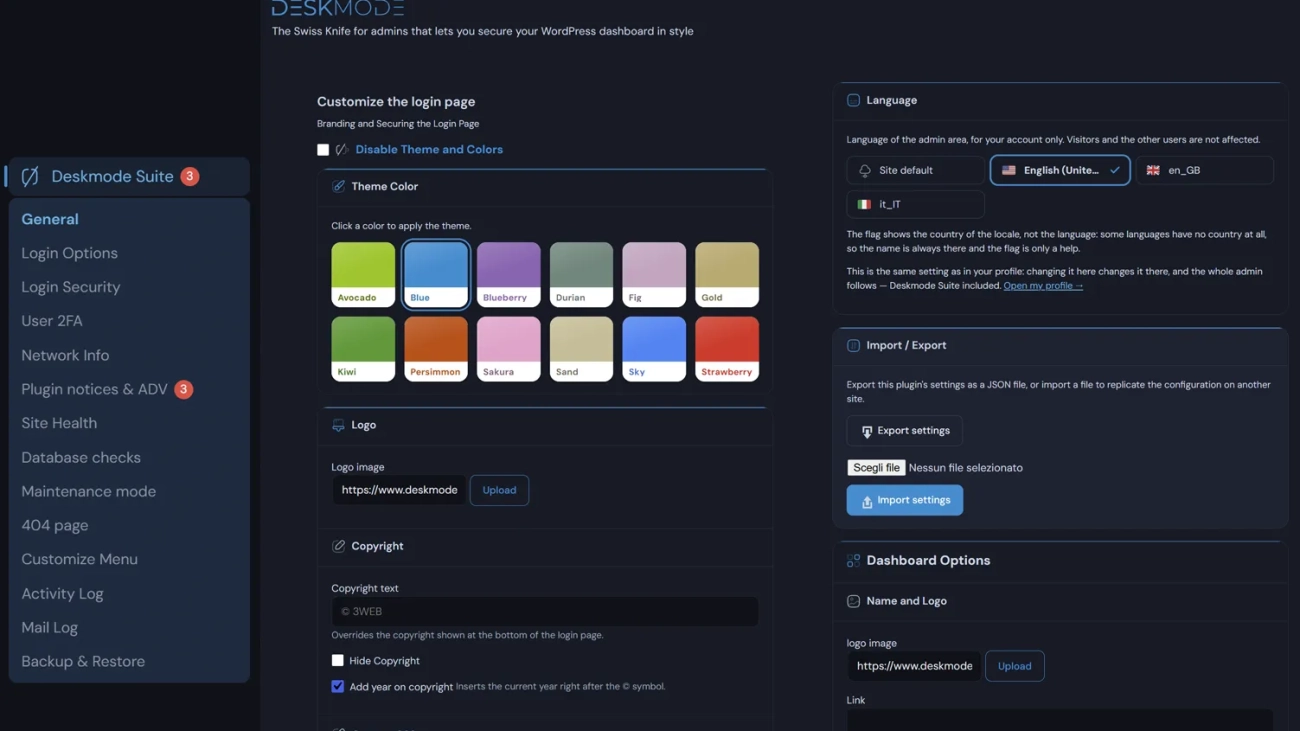
Deliver elegant, white-labeled performance executive views to your agency clients while hiding clutter, update banners, and notice spam.
Performance Monitoring
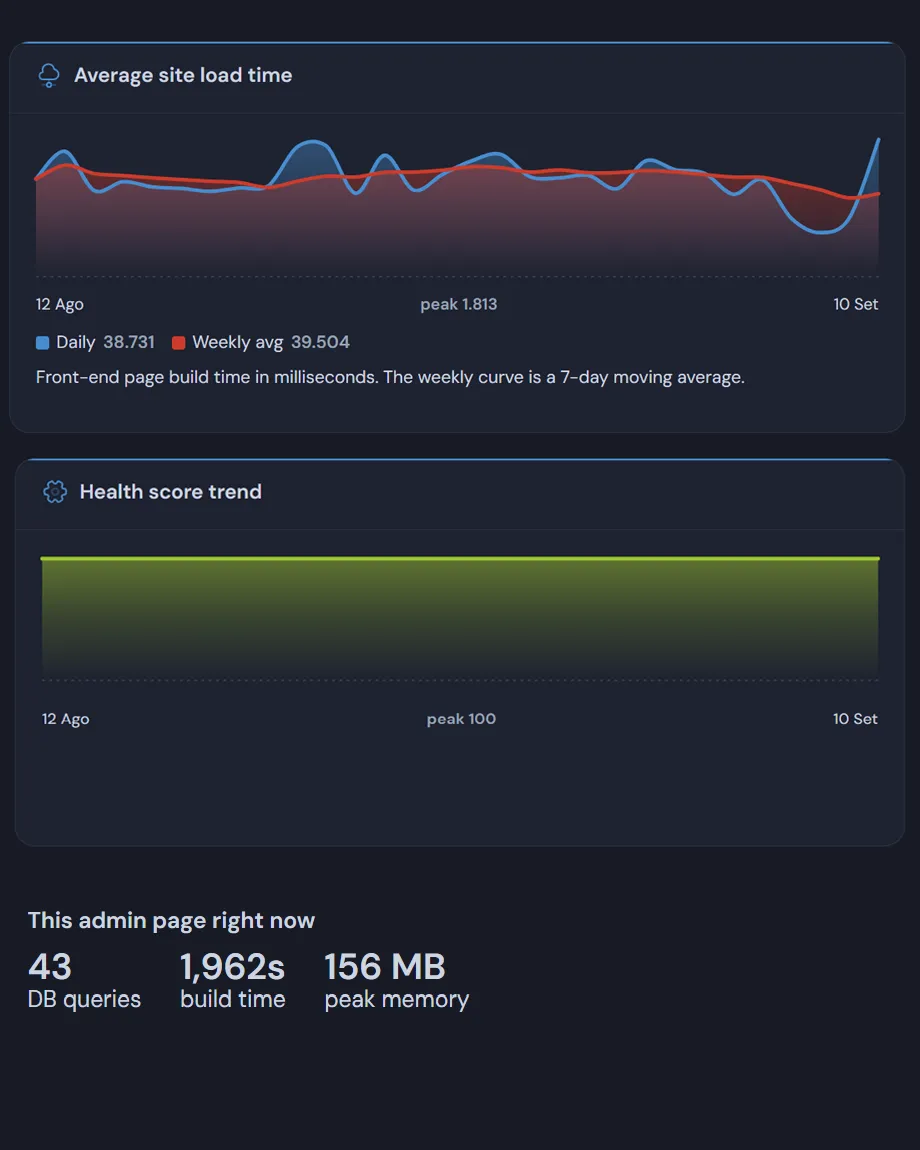
30-Day Site Build Time Metrics
Track backend rendering times over a rolling 30-day window. Identify server response lag, database locks, or slow plugin updates before they impact your site traffic.
- Visual Response Curves: Real-time SVG trendlines of daily average response times.
- Low Footprint Profiling: Captures render benchmarks without affecting front-end TTFB.
Health Index
Dynamic Site Health & Score Trends
A calculated health score out of 100 paired with actionable diagnostic insight. Monitor operational health over time as you apply updates, tweak server settings, or manage database weight.
- Comprehensive Checks: Monitors HTTPS, PHP runtime version, database load, and plugin health.
- Client-Friendly Metrics: Clear visual progress indicator without confusing technical jargon.
Security Analytics
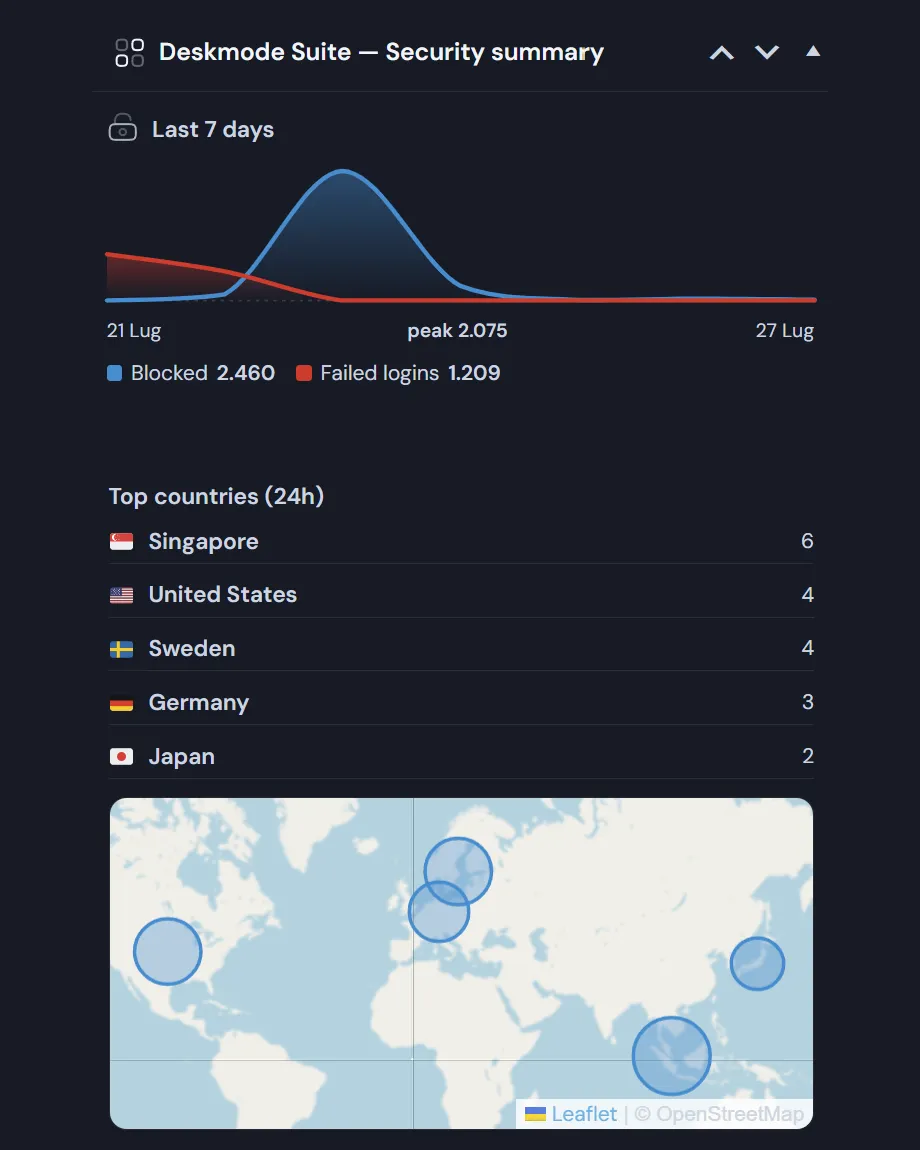
Visual Security & Threat Summaries
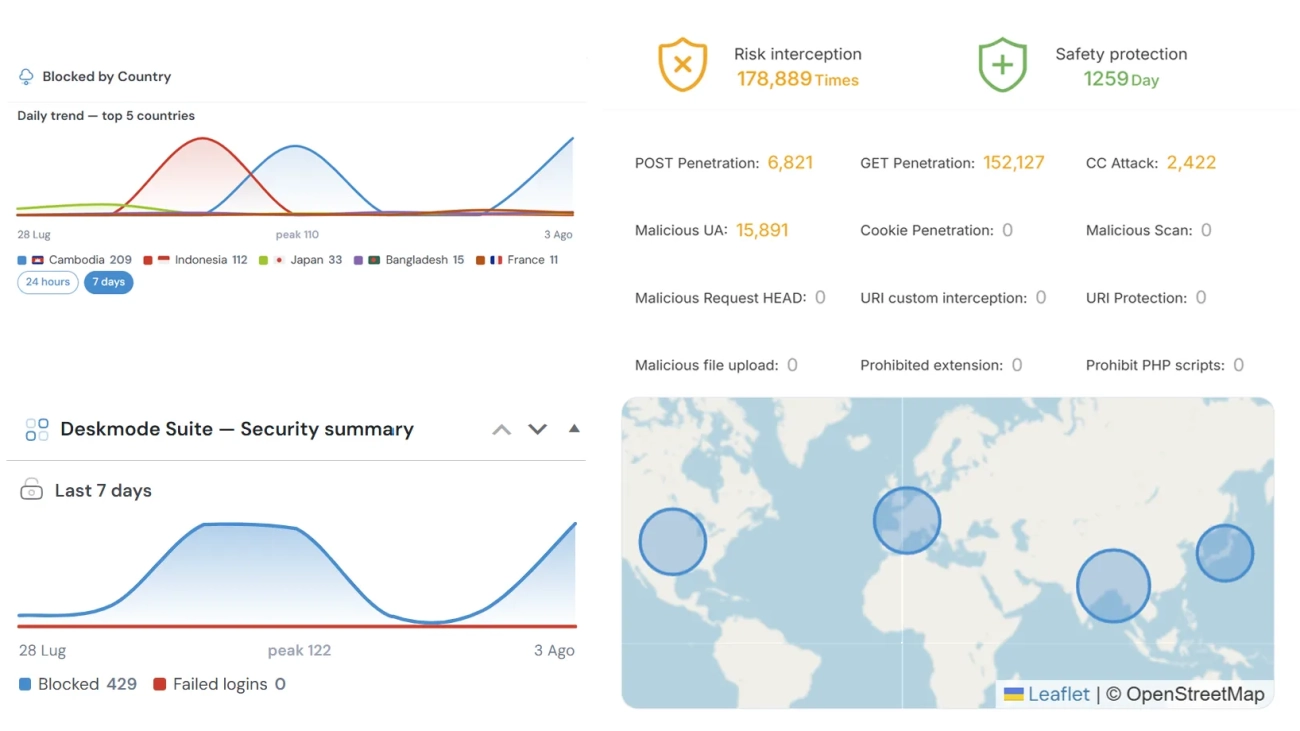
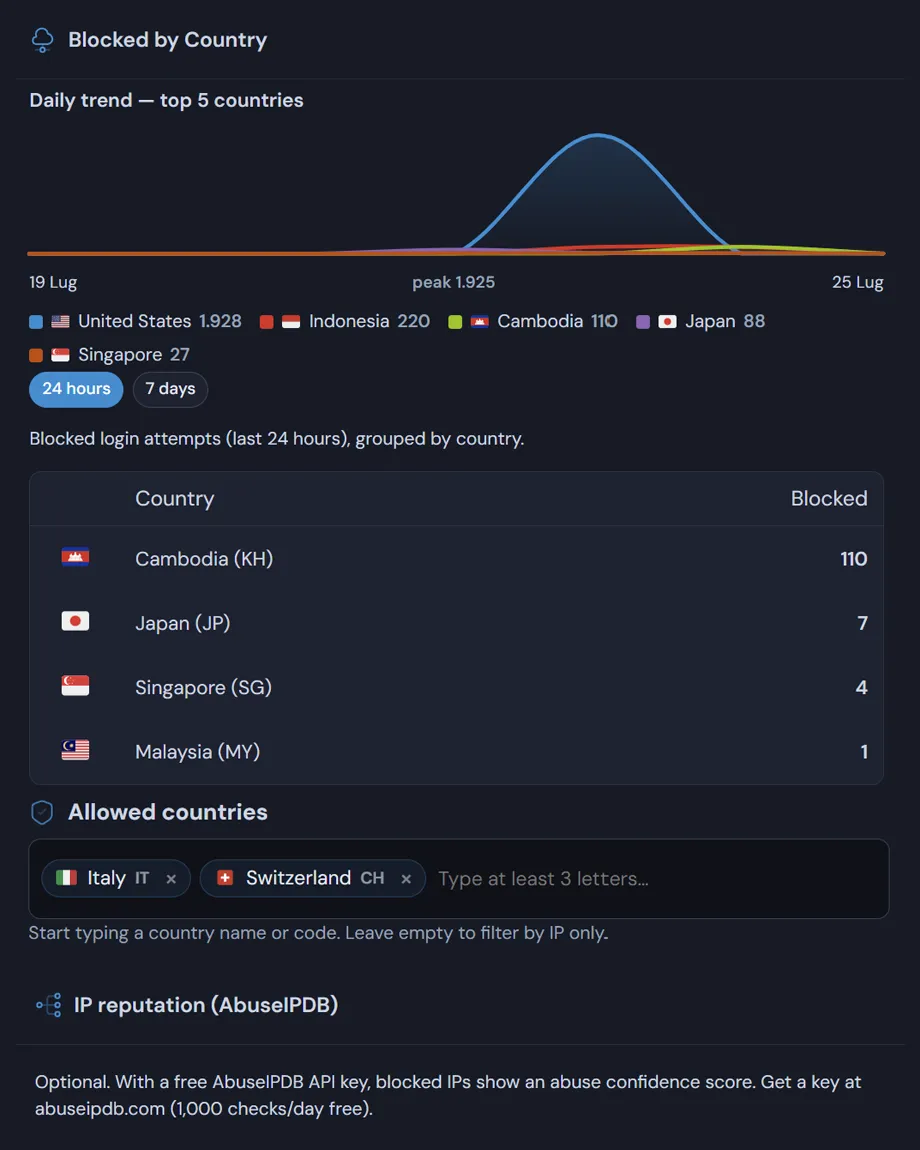
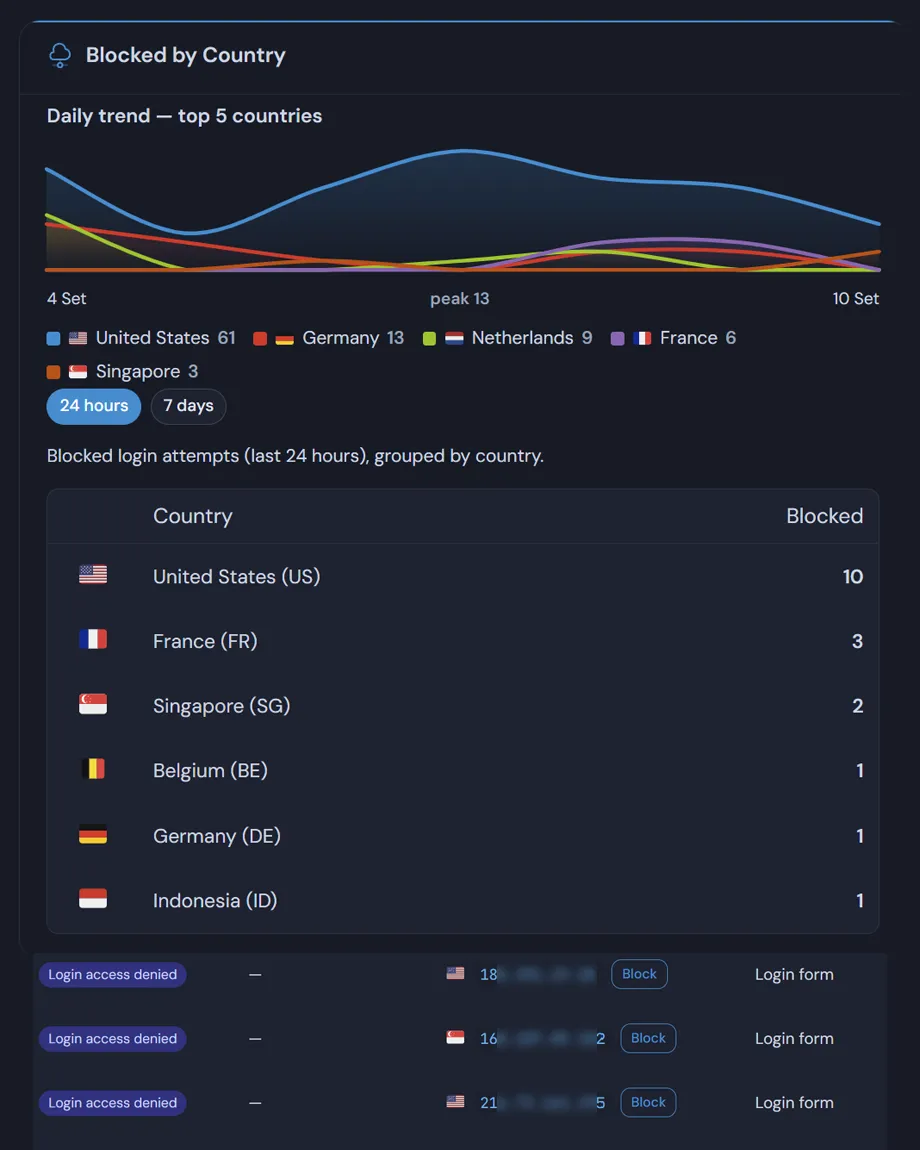
Deskmode Pro converts raw log entries into clean visual indicators. View blocked login attempts, rate-limited requests, and geographical origins at a glance upon logging in.
- 18 Tracked Event Types: From sign-ins and failed logins to theme switches and 404 errors.
- Geofencing & Rate Limit Insights: Visual volume charts for blocked threats.
Technical Superiority
Standard Plugins vs. Deskmode Pro Suite
| Architecture Feature | Standard Analytics Plugins | Deskmode Pro Suite |
|---|---|---|
| Chart Rendering | Heavy JS Libraries (Chart.js / Google Charts) | Zero-JS Native Server SVG |
| Database Impact | Stores log data in `wp_options` (bloats autoload) | Dedicated Indexed DB Tables |
| Security & CSP | Requires external scripts & third-party CDN connections | 100% Self-Contained & CSP Compliant |
| Admin Load Footprint | Adds multiple JS assets and remote tracking calls | Zero Outbound Telemetry |
Simple Pricing
Choose the Right Plan for Your Projects
All plans include 1 year of updates, premium support, and all Pro features including SVG analytics.
Personal
- 1 Website License
- Native SVG Analytics & Charts
- White Label Admin Customizer
- Security & 2FA Suite
- 1 Year Updates & Support
Freelance
- 5 Website Licenses
- Native SVG Analytics & Charts
- White Label Admin Customizer
- Geofencing & 2FA Security
- Dedicated DB Activity Logs
- Priority Agency Support
Agency
- Unlimited Website Licenses
- Native SVG Analytics & Charts
- Complete White Label Suite
- Advanced Security & 404 Logging
- S3 & FTP Backup Management
- VIP Priority Support
WordPress Charts FAQ